


WhatsApp Rolls Out Voice Chat Feature for All Group Sizes — Learn How to Enable It
May 22, 2025: In a major update, WhatsApp has expanded its voice chat feature to support groups of all sizes, removing the previous limit that required a minimum number of members to start a voice conversation. With this new rollout, the popular messaging app aims to make group communication smoother, faster, and more interactive.
Also read: Spotify Launches ‘Upcoming Releases’ Hub to Help Users Track New Albums
Announced officially on X (formerly Twitter), WhatsApp shared:
“Voice Chat is now available in all groups—big or small. So when the group chat is going back-and-forth, take it from messaging to talking it out live by swiping up in the chat.”
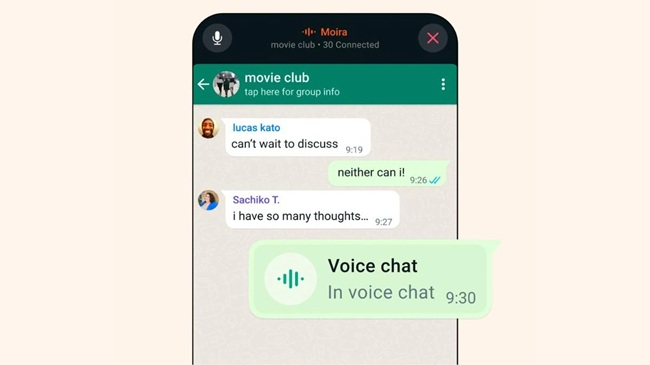
The new voice chat option, informally dubbed an “audio hangout,” is perfect for casual, podcast-like conversations within groups. It allows members to join and leave the chat at any time, and see who’s already connected — making group discussions more flexible and engaging.
📲 How to Enable Voice Chat on WhatsApp: Step-by-Step Guide
To activate and use WhatsApp’s new voice chat feature in any group:
- Open WhatsApp and go to any group chat.
- Swipe up from the bottom of the chat screen where the message box is located.
- Hold for a few seconds — this will start a new voice chat session.
- Group members can then join, leave, or view active participants anytime during the conversation.
More news like this
- BingX Launches U.S. Stock Trading via Alpaca with Access to 7,000+ Stocks and ETFs
- Apple Music Expands to Pakistan With Local Pricing and PayPak Support
- Spotify and Claude Face Major Outages, Thousands Report Service Disruptions
- Bill Gates Warns AI in Wrong Hands Could Cause Mass Loss of Life
- Spotify Hands Meta’s Muse the Controls, Bringing AI-Powered Music Management to Everyday Life


